
|
|
 Home |
PS_MYANMAR |
It is a word document with Document Actions. You could use it with Microsoft Office 2003.
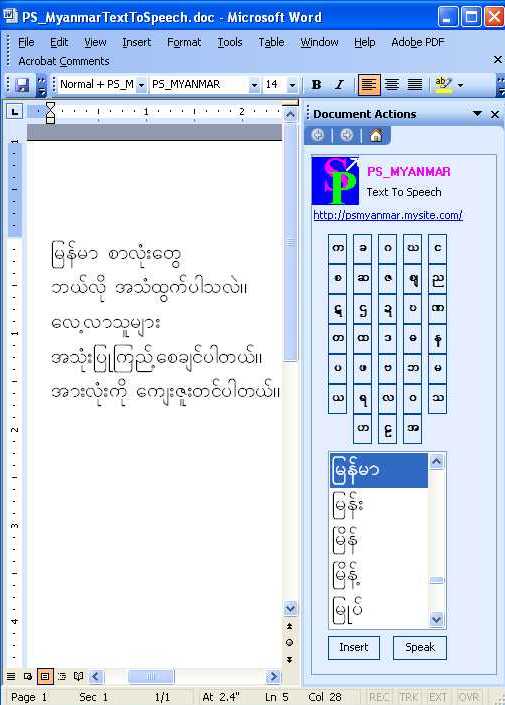
Words List
It consists of the list of Myanmar words of the specified alphabet. The user can change the list by clicking the required alphabet button. The system will speak when user click the word in the list. The user can insert that word to the text editor.
Alphabet buttons
Each button represents the alphabet of the Myanmar Language and is used to display the words list starting with this alphabet.
Insert
It is used to insert the selected word to the text editor.
Speak
It is used to speak back of the word(s) or sentences(s) in the Word document..
Note: PS_Myanmar Text to Speech editor's default font is PS_MYANMAR. This font is required to speak back properly. It can be used with PS_Myanmar Keyboard